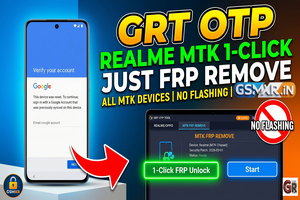

For modern Realme devices, performing a one-click PIN or FRP unlock without using a specific flash file typically involves using a professional service tool that supports MTK (MediaTek) or Qualcomm Auth bypassing.
Since you are looking for a “one-click” method, here are the most effective ways to handle RMX models using the tools currently available in the mobile repair industry:
1. Using UnlockTool (Recommended)
This is currently the most stable method for Realme RMX series devices to bypass FRP and PIN without needing to download massive firmware files.
- Step 1: Open UnlockTool and navigate to the OPPO/REALME tab.
- Step 2: Search for your specific model (e.g., Realme 8, C35, etc.) or use the [GENERIC] MTK tab if it is a MediaTek chipset.
- Step 3: Click on FRP + Format (or “Safe Format” if you want to attempt data preservation, though rare for PIN).
- Step 4: Power off the phone.
- Step 5: Hold Volume Up + Volume Down and plug in the USB cable. The tool will trigger the exploit and clear the lock in seconds.
2. Using Android Multi Tool (AMT)
AMT is highly effective for RMX models that require Server Auth.
- Select the Realme brand.
- Choose Factory Reset + FRP.
- Connect the device in BROM mode (Volume buttons + USB).
- The tool will communicate with the server to authorize the reset without needing an external scatter or OFP file.
3. TSM Tool / GAPro (Auth Method)
If the device is a newer model with a locked bootloader that doesn’t support traditional BROM jumping:
- Use the Realme Auth function within these tools.
- This usually consumes a small amount of credits but handles the PIN and FRP removal in one click by sending the “Wipe” command directly to the device’s recovery partition via the server.
4. The “Emergency Call” Manual Code (Legacy Check)
While most updated Realme UI versions have patched this, it is always worth a quick 5-second check before connecting to a PC:
- On the Hello/Wipe screen, tap Emergency Call.
- Dial
*#813#or*#812#. - Wait a moment. If the security patch is old enough, it will jump straight to the home screen.
Important Technical Tips
- Drivers: Ensure you have the LibUSB or MTK Universal Drivers installed, otherwise, the tool will hang at “Waiting for device.”
- Device Manager: Watch for “MediaTek USB Port” or “Qualcomm HS-USB QDLoader 9008.” If the device restarts immediately, you may need to use a Test Point for newer Qualcomm RMX models.