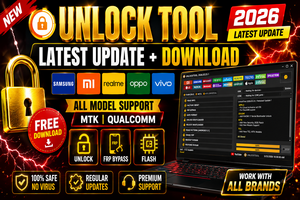
UnlockTool Latest Update 2026: The Ultimate Guide for Mobile Technicians In the fast-paced world of mobile repair, having a versatile and reliable software solution is non-negotiable. As of May 2026, UnlockTool remains the gold standard for technicians looking to bypass factory reset protection (FRP), flash firmware, and manage bootloaders across a massive range of devices. Whether you are dealing with the latest Samsung flagships or budget-friendly MediaTek (MTK) devices, the UnlockTool latest update provides the surgical precision needed to get the job done without bricking the hardware.
What’s New in the UnlockTool Latest Update?
The 2026 version of UnlockTool has introduced significant optimizations for Android 15 and early Android 16 security patches. The developers have expanded their server-side capabilities, allowing for faster authentication and more stable flashing processes.
Enhanced Qualcomm & MTK Support: The UnlockTool update features improved “Auth Bypass” for MediaTek chipsets, meaning you can service most devices without needing expensive credits.
One-Click FRP Removal: Samsung, Xiaomi, Oppo, and Vivo users benefit from a streamlined process to remove Google Account locks in seconds.
Apple iOS Support: While primarily an Android powerhouse, UnlockTool now offers limited support for bypassing Hello screens and MDM locks on older iPhone models up to iOS 17.x.
Safe Format Options: Technicians can now perform factory resets while preserving user data on specific supported models, a feature that makes UnlockTool a favorite for customer-first service centers.
Why Choose UnlockTool Over Other Software?
While there are many competitors in the GSM market, UnlockTool consistently leads because of its frequent update cycle. When a new security patch is released by manufacturers, the UnlockTool team is often the first to provide a workaround. This reliability ensures that your toolkit never becomes obsolete.
Furthermore, UnlockTool is a login-based service. This means you don’t need to carry around a physical hardware dongle or box. You can simply download the UnlockTool setup, log in with your credentials on any Windows PC (one PC every 6 hours), and start working immediately. This flexibility is perfect for technicians who work across multiple locations.
How to Download and Setup UnlockTool
To get the most out of UnlockTool, you must ensure you are downloading from the official source to avoid malware or “cracked” versions that can damage your PC and mobile devices.
Download: Head to the official website (unlocktool.net) to grab the latest digital installer.
Installation: Extract the ZIP file and run the executable. UnlockTool does not require a complex installation; it runs as a standalone application.
Drivers: Before connecting a device, ensure you have installed the necessary USB drivers (Qualcomm, MTK, Samsung, and LibUSB) which are usually provided within the UnlockTool interface under the “Config” or “Help” tab.
Login: Enter your registered username and password. If you don’t have one, you will need to purchase a 3-month, 6-month, or 12-month digital license from an authorized reseller.
Maximizing Success with UnlockTool
Success in mobile repairing isn’t just about having the software; it’s about how you use it. When using UnlockTool, always ensure your USB cable is high-quality and your PC’s “Test Mode” is configured if you’re dealing with unsigned drivers.
The UnlockTool community is vast. If you encounter a specific model that isn’t responding, the UnlockTool official forums and social media groups are excellent resources for finding the exact “Test Point” or “Button Combination” needed to trigger the correct mode (EDL, Fastboot, or Brom).
Final Verdict
If you are serious about mobile software repair in 2026, the UnlockTool latest update is an essential investment. It simplifies complex tasks, supports thousands of models, and provides a level of security that free, unverified tools simply cannot match. Keep your UnlockTool updated, follow the official guides, and you’ll find that no lock is too tough to break.
Learn how to setup UnlockTool 2026
This video provides a practical, step-by-step walkthrough for downloading and activating your account to ensure you get started with the software correctly.