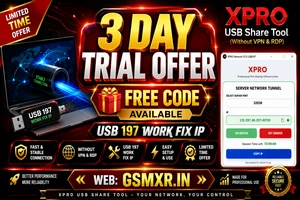
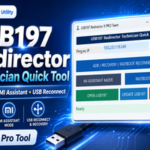
If you are searching for a reliable USB port sharing solution without using VPN or Remote Desktop, XPRO USB Share Tool is one of the best choices. It is specially designed for GSM technicians who need stable USB connectivity for mobile servicing, unlocking, flashing, FRP removal, and online authentication.
The latest version supports USB 197 Work Fix IP, providing a fast and secure connection with minimal setup. Whether you are a beginner or an experienced mobile technician, XPRO USB Share Tool makes remote USB sharing simple and efficient.
What is XPRO USB Share Tool?
XPRO USB Share Tool is a professional USB port sharing application that allows users to connect USB devices remotely without requiring VPN or Remote Desktop. It offers a secure network tunnel, ensuring stable communication between client and server.
The tool is widely used by GSM professionals for online services such as:
Mobile Flashing
FRP Unlock
Bootloader Operations
IMEI Repair (Supported Models)
Authentication Services
Qualcomm & MediaTek Device Support
Key Features
Without VPN & RDP
No VPN configuration is required. Simply connect and start using the tool.
USB 197 Work Fix IP
Optimized support for USB 197 with improved connection stability.
Fast Network Tunnel
Provides low latency and secure USB communication.
One Click Connection
Simple interface suitable for beginners.
Stable Performance
Maintains stable USB connection even during long servicing sessions.
Easy Copy IP
Copy the generated server IP with one click.
Secure Communication
Encrypted connection between server and client.
Multiple Device Support
Compatible with various Android servicing tools.
Supported Operations
Using XPRO USB Share Tool, you can perform:
Flash Firmware
Remove FRP
Unlock Devices
Online Authentication
Read Device Information
USB Port Sharing
Remote Mobile Repair
Tool Activation
System Requirements
Windows 10 / Windows 11
Internet Connection
USB Drivers Installed
Administrator Permission
USB Cable
XPRO USB Share Tool Latest Version
How to Install XPRO USB Share Tool
Step 1
Download the latest version.
Step 2
Extract the ZIP file.
Step 3
Install required USB drivers.
Step 4
Run the software as Administrator.
Step 5
Select the available server port.
Step 6
Click ON SERVER.
Step 7
Copy the generated IP.
Step 8
Connect your supported GSM tool.
How to Use XPRO USB Share Tool
Launch the software.
Select Server Port.
Enable Server.
Copy Server IP.
Open the supported GSM tool.
Enter the IP if required.
Connect the mobile device.
Start servicing.
Advantages
✔ No VPN Required
✔ Fast Connection
✔ Easy Interface
✔ Stable USB Sharing
✔ Low Latency
✔ Beginner Friendly
✔ Supports Professional GSM Work
Common Problems & Solutions
Server Not Starting
Run the software as Administrator.
USB Not Detected
Install the latest USB drivers.
Connection Failed
Check your firewall settings.
Port Busy
Restart the application and choose another port.
Slow Connection
Use a stable broadband connection.
Why Choose XPRO USB Share Tool?
Compared to traditional VPN-based USB sharing methods, XPRO offers:
Better Speed
Lower Latency
Easy Setup
Reliable Connection
Professional Performance
Secure Network Tunnel
Free 3-Day Trial Offer
For a limited time, users can enjoy:
✅ Free 3-Day Trial
✅ USB 197 Work Fix IP
✅ Without VPN
✅ Easy Activation
✅ Stable Server
Frequently Asked Questions
Is XPRO USB Share Tool free?
A free 3-day trial offer is available for eligible users.
Does it require VPN?
No. It works completely without VPN and Remote Desktop.
Which Windows versions are supported?
Windows 10 and Windows 11.
Is USB 197 supported?
Yes, USB 197 Work Fix IP is supported.
Can beginners use it?
Yes. The interface is very simple and user-friendly.
XPRO USB Share Tool (Without VPN RDP)–USB 197 Work Fix IP Lifetime BUY NOW
Conclusion
XPRO USB Share Tool is an excellent solution for GSM technicians looking for stable USB sharing without VPN or RDP. Its secure network tunnel, USB 197 Work Fix IP support, and simple interface make it a valuable tool for remote mobile servicing. If you need reliable USB connectivity for flashing, unlocking, or authentication tasks, this software is worth trying—especially with the available free 3-day trial.